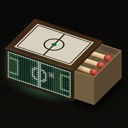
Set up
Hello, Matchbox
Three steps. The Matchbox and the app talk you through the rest.
1 · Plug it in.
It wakes up and says HELLO, then shows its name, a six-digit code and ENTER THE CODE ON YOUR PHONE.
2 · Open the app.
Make an account, then pick your club, your competitions and any other teams you follow. Then the app finds your Matchbox over Bluetooth, and your phone asks for the six-digit code on the wall. Your Wi-Fi name and password go in once, from the app, and the wall says CONNECTED. Matchbox joins 2.4 GHz Wi-Fi, which almost every home router offers.
3 · Hang it, or stand it.
Anywhere it can reach power and your Wi-Fi.
Matchbox is in a private beta. The app comes by invitation, through Apple’s TestFlight on iPhone; it isn’t in the App Store or Google Play yet. A beta Matchbox is hand-built, so if yours came with a note about power or its buttons, that note wins.
If something’s off
- Not showing its six-digit code? Hold one button on the back and tap reset once. It goes back to pairing and forgets nothing. (On a beta unit: hold UP or DOWN, never BOOT, and tap RESET once, never twice.)
- Wi-Fi trouble? Check your router offers a 2.4 GHz network. The app tells you what went wrong when it can’t join.
- Still stuck? In the app, go to Settings, tap your Matchbox, then Send a Report. It shows you everything before it sends. Or write to malik@staytethered.app. Your Matchbox’s name (MBOX-…) is on the label on the back.